Smart Protection 2012 is a fake anti-virus program that displays misleading security warnings and generates false positive reports of viruses and malware to scare you. Fake AVs are designed to convince you to purchase the full version of said software in order to remove the numerous problems and infections the scan has discovered. The truth be told, it doesnt actually scan your computer and even if you purchase this rogue antivirus program it wont fix anything. It just runs a fake scan of your computer in front of your eyes, telling you that all sorts of spyware, viruses and trojans are installed. Dozens of new variants of Fake AV appeared in 2011 and the malware ecosystem isnt going to change any time soon. Besides, rougeware authors realize that internet users became smarter in distinguishing the name of fake and real antivirus programs, so they will definitely come up with new seemingly legit names. If youve just been snatched by Smart Protection 2012 or similar scareware, DO NOT follow instructions on screen and do not purchase it. To remove Smart Protection 2012 from your PC, please follow the removal instructions below.
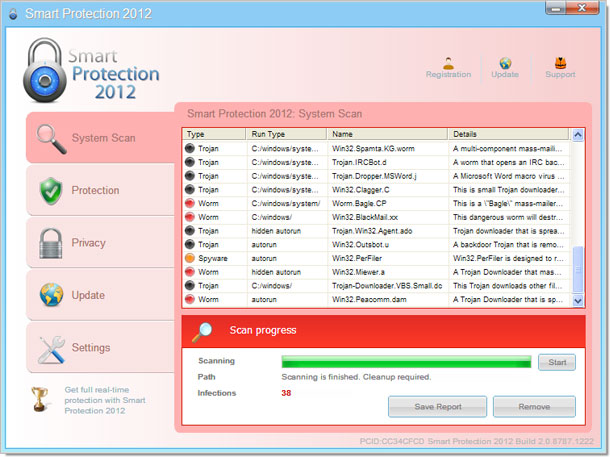
OK, so lets take a closer look at the Smart Protection 2012. It has a rather unique GUI and it seems that cyber crooks are pretty happy with malware conversation rates if they brand the same malcode under multiple names. Apparently, it works. Once installed, Smart Protection 2012 will pretend to scan your computer for malicious software, spyware, Trojan horses, etc. Then, it will bombard you with false alarms.
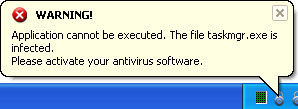
Warning!
Application cannot be executed. The file notepad.exe is infected.
Please activate your antivirus software.
Smart Protection 2012 Warning
Your computer is still infected with dangerous viruses. Activate antivirus protection to prevent data loss and avoid theft of your credit card details.
Click here to activate protection.
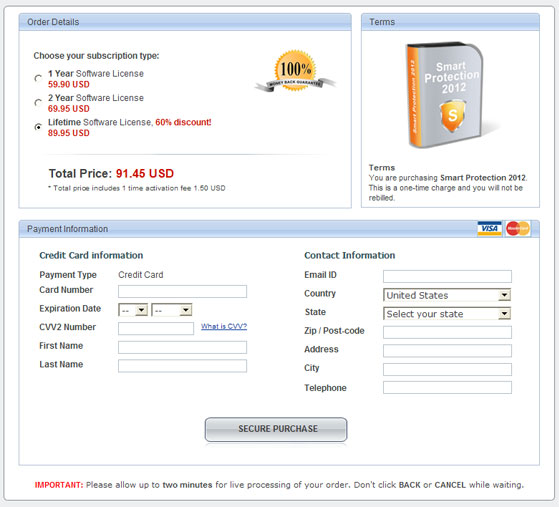
Finally, it will take you to a fake payment page where you cant purchase this undoubtedly illegal software.
What is more, the rogue AV will modify Windows registry, alter system files, modify Windows Hosts file, disable certain system services and block legitimate anti-virus software. These changes can be fixed or restored quite easily, however the problem is that Smart Protection 2012 may come bundled with rootkits. And we are pretty sure that most of you are not comfortable with manually removing rootkits. Thankfully, youve got the removal instructions to help to remove Smart Protection 2012 and associated malware from your computer. If you need extra help removing this virus or youve found undetected hazards, please post a comment. Good luck and be safe online!
Quick Smart Protection 2012 removal guide:1. Open
Smart Protection 2012. Click the "
Registration" button. Enter the following debugged registration key and click "Activate" to register this rogue antivirus program. Dont worry, this is completely legal.
AA39754E-715219CE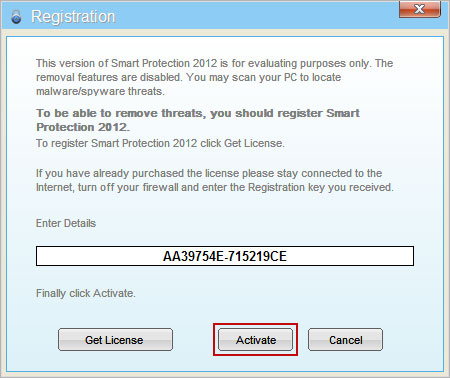
Once this is done, you are free to install anti-malware software and remove Smart Protection 2012 from your computer properly.
2. Next, download
TDSSKiller. This malware usually (but not always) comes bundled with TDSS rootkit. Removing this rootkit from your computer is very important (if exists). Run TDSSKiller and remove the rootkit.
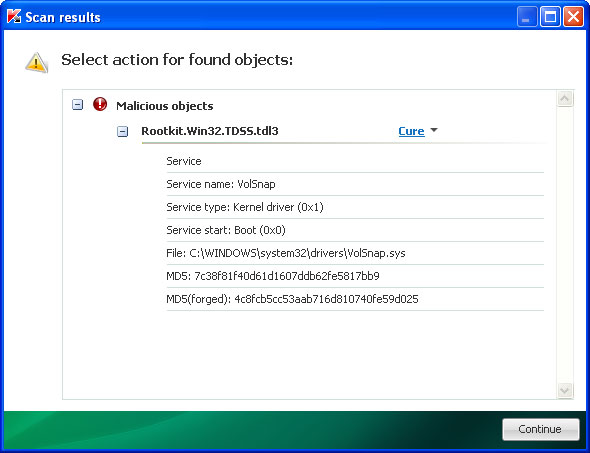
3. Then download recommended
anti-malware software (Spyware Doctor) and run a full system scan to remove this virus from your computer.
4. And finally, to reset the Hosts file back to the default automatically, download and run
Fix it and follow the steps in the Fix it wizard.
Smart Protection 2012 removal instructions in Safe Mode with Networking:1. Please reboot your computer is "
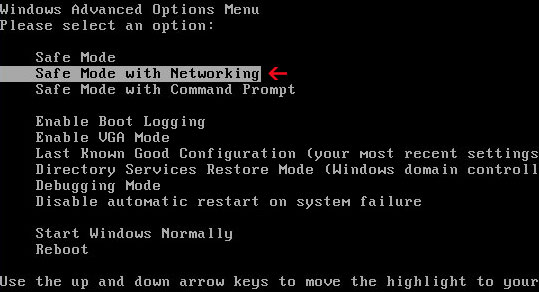
Safe Mode with Networking". As the computer is booting tap the "
F8 key" continuously which should bring up the "
Windows Advanced Options Menu" as shown below. Use your arrow keys to move to "Safe Mode with Networking" and press Enter key.
NOTE:
Login as the same user you were previously logged in with in the normal Windows mode.
2. Download
TDSSKiller. Run TDSSKiller and remove the rootkit (if exists).
3. Then download recommended
anti-malware software (Spyware Doctor) and run a full system scan to remove this virus from your computer.
4. And finally, to reset the Hosts file back to the default automatically, download and run
Fix it and follow the steps in the Fix it wizard.
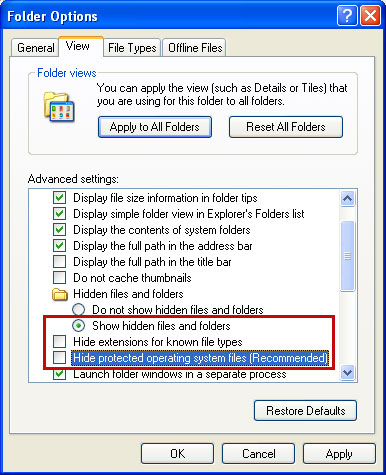
Alternate Smart Protection 2012 removal instructions (manual removal):Make sure that you can see hidden and operating system protected files in Windows. For more in formation, please read
Show Hidden Files and Folders in Windows.
Under the Hidden files and folders section, click
Show hidden files and folders, and remove the checkmarks from the checkboxes labeled:
- Hide extensions for know file types
- Hide protected operating system files
Click OK to save the changes.
1. Find the malicious Smart Protection 2012 file.
On computers running Windows XP, malware hides in:C:Documents and SettingsAll UsersApplication Data
On computers running Windows Vista/7, malware hides in:C:ProgramData
2. Look for malicious file in said directories depending on the Windows version you have.
Example Windows XP:C:Documents and SettingsAll UsersApplication Data529C536F00018A6B00013FF8.exe
Example Windows Vista/7:C:ProgramData529C536F00018A6B00013FF8.exe
Basically, there will be a malicious file named with a series of numbers or letters.
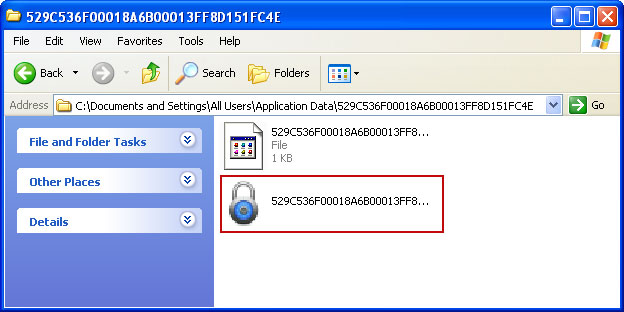
Rename
529C536F00018A6B00013FF8 to
virus (do not delete it!). Heres an example:
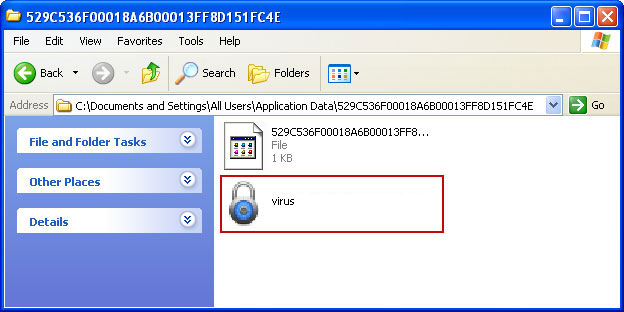
3. Restart your computer. After a reboot, Smart Protection 2012 wont start and you will be able to run anti-malware software.
4. Open Internet Explorer. Download
TDSSKiller. Run TDSSKiller and remove the rootkit (if exists).
5. Download recommended
anti-malware software (Spyware Doctor) and run a full system scan to remove this virus from your computer.
6. And finally, to reset the Hosts file back to the default automatically, download and run
Fix it and follow the steps in the Fix it wizard.
Associated Smart Protection 2012 files and registry values:Files:
Windows XP:
- C:Documents and SettingsAll UsersApplication Data[SET OF RANDOM CHARACTERS].exe
Windows Vista/7:
- C:ProgramData[SET OF RANDOM CHARACTERS].exe
Registry values:
- HKEY_CURRENT_USERSoftwareMicrosoftWindowsCurrentVersionRunOnce "[SET OF RANDOM CHARACTERS]"
Share this information with other people:
 Its no surprise that Apple is one of the top PC and technology makers in the world. What may be surprising is the fact that Apple has surpassed HP in computer unit sales and revenues for the first time ever, making the Cupertino giant the number one company. Apple can attribute a lot of this success to record sales of iPads and, instead of losing sales to low priced tablets, Apple said that it would continue to "innovate like crazy" in the tablet market.
 Power Point Projectors

